Category: Uncategorized

  • Best AI Video Generators in 2026: What Directors Actually Use

    Best AI Video Generators in 2026: What Directors Actually Use

    Description

    The best AI video generators in 2026 are not one tool. This guide ranks Kling, Sora, Veo, Seedance, Runway, and Luma for filmmakers, then shows how to pick a stack and ship a short that holds together.

    Best AI Video Generators in 2026: What Directors Actually Use

    The “best AI video generator” question is a trap. In 2026 you do not pick one model and retire. You pick a stack. One engine owns physics. Another owns camera grammar. A third holds a face across five cuts. The directors who look expensive treat generators like lenses, not like a studio in a box.

    This roundup is for people who want cinematic shorts, not talking-head slideshows. If you hunt for the best AI video generators in 2026, start with job, not brand.

    TLDR

    • There is no single winner. Match the model to the shot.
    • Curious Refuge’s 2026 review scored Seedance 2.0 highest on output (8.4/10) and called Kling 3.0 the best overall experience (8.1/10).
    • Zapier treats Google Veo 3.1 as the all-arounder for prompt and image-reference adherence.
    • Kling still wins many action and fabric shots. Sora still wins hero cinematic sequences. Runway still wins when you need motion brushes and paced camera.
    • After you generate, you still edit, grade, and mix. Then you need a place the work lives.

    What is the best AI video generator in 2026?

    The honest answer: the one that fails least on the shot you need today.

    Curious Refuge tested current models on prompt adherence, temporal consistency, visual fidelity, motion, and cinematic realism. Their top ranks:

    1. Seedance 2.0, 8.4/10. Strong physics, multi-shot scenes, native lip sync and audio. Backgrounds can look plasticky.
    2. Kling 3.0, 8.1/10. Cinematic motion and lens behavior. Pricey. Overloaded prompts can drop adherence to protect consistency.
    3. Luma Ray 3.2, 7.7/10. Skin, emotion, and character hold. Occasional artifacts.
    4. Hailuo 2.3 (MiniMax), 7.5/10. Subject reference for character lock. Anatomy and logic still break on busy motion.
    5. Veo 3.1, 7.2/10. Clean interface, image “ingredients.” Motion can feel floaty. Text and complex emotion are weak.
    6. Runway 4.5, 6.2/10 in that test. Strong character lock, weak object permanence and cost-to-quality.

    Zapier’s 2026 roundup still puts Veo 3.1 first as an all-arounder. Reddit filmmakers in 2026 split the same way: Sora 2 for hero shots, Kling for affordable cinematic motion, aggregators like OpenArt when you want to A/B models in one tab.

    If you make films, ignore “overall best.” Assign roles.

    Which AI video generator is best for filmmakers?

    Filmmakers need four things the marketing pages skip:

    • Character lock across coverage, not one pretty clip
    • Physics that sell weight: cloth, hair, impact, footsteps
    • Camera grammar you can call: push-in, whip pan, locked tripod, Dutch
    • Editability: clean in/out points so you cut on action instead of dissolving between glitches

    Kling: action, fabric, faces in motion

    Kling remains the workhorse for physical interaction. If a jacket has to swing and a face has to survive a turn, start here. Keep wardrobe high-contrast so the model has an anchor. When you dump a paragraph of camera notes into one prompt, Kling will protect motion and dump your extras. Split the shot.

    Sora: hero cinematic sequences

    Sora (including Sora 2 in 2026 tests) still owns the “this looks like a trailer” shot: scale, atmosphere, the wide that makes people stop scrolling. Use it for establishers and climaxes. Do not build an entire short inside one Sora session unless you like fighting continuity.

    Veo 3.1: reference-led realism

    Veo 3.1 is the tool you open when you have stills you trust. Feed ingredients. Stay close to the board. Use Fast for boards, Quality for finals. Watch for floaty gravity and mushy emotional close-ups.

    Seedance 2.0: multi-shot and native audio

    If you storyboard in sequences instead of isolated 5-second clips, Seedance 2.0 is the 2026 surprise. Multi-shot generation plus native lip sync changes the assembly. Still grade it. Still replace the score if the native audio is generic.

    Runway: control, not raw beauty

    Runway’s camera tools still matter when you refuse random pans. Motion brushes, directional control, paced moves. In Curious Refuge’s scoring it lagged on realism. Directors who already think in coverage still keep a Runway seat for the shots that must obey a move.

    Luma Ray: faces and skin

    Ray 3.2 is the close-up specialist. Emotions and skin texture hold better than most. Pair it with Kling for the wide-to-medium, then cut to Luma for the eyes.

    Is there a free AI video generator worth using in 2026?

    Free tiers exist so you can fail cheap. They are not a production pipeline.

    Curious Refuge notes most of the tools above give at least one free generation. That is enough to learn prompt shape and to see whether a model respects your character sheet. It is not enough to finish a 90-second short with consistent coverage.

    If budget is tight:

    • Board on a cheaper/faster model (Veo Fast, Hailuo, open models like Wan)
    • Spend paid credits only on hero shots and character lock
    • Do sound and grade in Resolve. That is still where films become films.

    Open models (Wan 2.7, LTX) are real options if you run local or cheap inference. They trail the closed leaders on physics and consistency. Fine if you accept cleanup.

    Can you use more than one AI video generator in one film?

    Yes. You should.

    Winning shorts in 2026 almost never come from one tab. A typical director stack:

    Job Tool
    Character stills / turnaround Midjourney, Flux, or your locked sheet
    Action and fabric Kling
    Hero wide / atmosphere Sora or Veo
    Controlled camera Runway
    Emotional CU Luma Ray
    Multi-shot + temp audio Seedance
    Conform, grade, mix DaVinci Resolve

    Mute native generator audio unless you designed for it. Layer Foley, room tone, and a score that hits cuts. Color grade so Kling and Veo look like the same world.

    If you want pressure on that stack, enter a timed round in the Kodex1 Coliseum. A 48-hour prompt plus public votes will tell you whether your cuts hold or your generator cocktail is just a mood board.

    How do you choose among the best AI video generators in 2026?

    Ask four questions before you buy a plan:

    1. What is the shot? Physics, face, wide, or camera move.
    2. Do you have references? Veo and Hailuo reward stills. Kling rewards a locked wardrobe.
    3. What is the credit cost of a failed take? Expensive models punish exploration. Board cheap, finish expensive.
    4. Where does the film live after export? Generators do not give you an audience, a portfolio, or a prize.

    Kodex1 does not generate your pixels. You already have Kling, Sora, Runway, Veo. What you lack is a permanent studio and an arena. Build a director page so the work does not die in Discord. If you sell or take commissions, the Earn path is the honest next step after the export.

    A practical 2026 workflow

    1. Write a short that a model can survive: one or two characters, high-concept space, no crowd brawls.
    2. Lock a character bible (6-10 stills, same light, same clothes).
    3. Generate coverage, not beauty shots: wide, medium, close, cutaway.
    4. Cut on action before the glitch. Hard cuts, not dissolves.
    5. Mix like a film. Grade like one world.
    6. Publish where directors and viewers actually look.

    Ninety seconds beats five minutes of generative fatigue. Festival jurors and Coliseum voters both punish rubber limbs and drifting faces.

    Conclusion

    The best AI video generators in 2026 are a kit: Seedance and Kling for motion and sequence, Sora and Veo for scale and reference, Runway for camera you can aim, Luma for the close-up that has to feel human. Rankings from Curious Refuge and Zapier help you spend. They do not finish the film.

    Generate. Direct the cut. Then put the short where it can compete.

    Start on kodex1.com. Watch. Vote. Drop your own work in the Coliseum. 3 days free. No card. Then $5/mo. Cancel anytime.
  • Best AI Video Tools for Filmmakers in 2026

    Best AI Video Tools for Filmmakers in 2026

    Description

    The best AI video tools for filmmakers in 2026 are a stack, not a single app: generators for shots, editors for cuts, sound for weight, and a studio URL for the finished film. This guide maps Kling, Runway, Veo, Luma, Adobe, and where the work actually lives.

    Best AI Video Tools for Filmmakers in 2026

    Pretty frames are cheap. A film still costs taste. The best AI video tools for filmmakers in 2026 are the ones that survive a shot list, a character lock, and a finish line, not the ones that win a Discord screenshot.

    This is a director's map, not a vendor dump. Generators make clips. Editors make movies. Sound sells the cut. A permanent studio is what turns the pile into a body of work.

    TLDR

    • Treat tools as a pipeline: pre-vis, generate, edit, grade, publish.
    • Kling and Runway still dominate serious shot work; Veo and Luma fill specific jobs.
    • Adobe remains the post home for most festival crews (Adobe's 2026 Sundance note).
    • Character lock, camera intent, and a finished runtime beat another 6-second loop.
    • Host the films on a studio URL. Feeds bury last week's banger.

    What counts as an AI video tool for filmmakers?

    StudioBinder's 2026 roundup splits the craft into pre-production, production, and post. That split is useful. A storyboard generator is not a camera. A lip-sync plugin is not a director.

    For generative cinema, the stack looks like this:

    1. Image and look tools for stills, boards, and character sheets.
    2. Video generators (Kling, Runway, Veo, Luma, and peers) for the actual shots.
    3. Edit and grade (Premiere, DaVinci, Resolve-style AI assists, Firefly in Adobe).
    4. Audio for dialogue, score, and Foley so the clip stops sounding like a demo.
    5. Distribution so a scout can watch the film next month, not only tonight.

    Kodex1 does not generate your pixels. You bring films you already made. The platform is the archive, the Coliseum for timed briefs, and a director studio when you want a hire button next to the work.

    Which generator should you actually shoot with?

    Kling: physics, faces, longer motion

    Kling still wins when bodies hit rain, fabric, and doors. Element tracking holds a face across lighting shifts better than most text-only models. Directors who cut action or character drama start here.

    Use Kling when the shot has weight: a sprint, a pour, a punch, a coat that should hang like cloth.

    Runway: camera grammar and polish

    Runway remains the control freak's tool. Axis sliders, motion brush, reference sheets. When you need a slow push down a corridor that feels like a lens, not a lottery, Runway is the safer bet.

    Use Runway for ads, VFX inserts, and any shot where the camera move is the performance.

    Veo and Luma: specific jobs, not a religion

    Veo often lands photoreal lighting and "I almost believe the location" stills. Luma still earns a seat for smooth camera paths and dreamy motion. Neither replaces a full pipeline. They fill holes.

    Reddit comparisons through late 2025 and 2026 keep repeating the same line: the problem is control, not ideas. Pick the model that obeys the shot, then move on. See community tests such as this model roundup thread.

    Higgsfield, Pika, PixVerse, and the rest

    These show up in every "top 10" list because they ship fast clips. Fine for social hooks. Weak as a sole camera for a 90-second short. If a tool cannot hold a protagonist for three setups, it is a texture generator, not a film camera.

    What about pre-production and post?

    Filmmakers still need boards, breakdowns, and a cut.

    StudioBinder is honest about this: Midjourney or Flux can spit a lighting test. A storyboard needs sequence, annotations, and a link to the shot list. ChatGPT can tag cast in a script. It will miss the lighting package you never typed.

    On the other side of the camera, Adobe is still where festival crews land. Adobe said in January 2026 that 85% of Sundance filmmakers use Adobe tools in some capacity, while it pushed new AI video work and creator grants (source). That is post and finishing culture, not a claim that Firefly replaced Kling.

    Hybrid is the adult workflow: generate in the model that holds the shot, conform in an NLE, grade like a film, mix sound like you mean it.

    How do you pick tools without wasting credits?

    Ask four questions before you buy another plan:

    1. Does it lock a character across three locations?
    2. Can you name the camera move after the render, or did the model invent it?
    3. What is the usable runtime before it melts?
    4. Where does the finished file live after the feed moves on?

    If you cannot answer #4, you do not have a filmmaking stack. You have a hobby.

    A practical starter kit for 2026:

    • One primary generator (Kling or Runway)
    • One backup model for the shots the primary fails
    • Still tools for sheets and boards
    • An NLE you already know
    • A public studio URL with named titles, runtimes, and tools listed

    Then stop collecting apps.

    How do you prove you directed the machine?

    Clients and festivals do not hire "I typed a prompt." They hire finish.

    Put one complete short first. 60 to 90 seconds with a beginning, a middle, and an ending. Caption the camera. Disclose the models. Cut the melted-hand week-one experiments.

    Timed briefs help. A 15-20 second commercial with a product and a logo lockup proves you can take a constraint. That is what Kodex1 Coliseum battles are for: a prompt, a clock, a public vote. Wins belong on the reel. Honest losses can too.

    If you want paid views or commissions, the same films need a hire path. Director studios exist so a scout hits one URL instead of a Drive folder. Earn is the money side once the work is actually watchable.

    People also ask

    What is the best AI video tool for cinematic video?

    There is no single winner. Kling for physical action and face lock. Runway for camera control. Veo when you need photoreal light. Your NLE for the film. Rank the job, then the model.

    Can AI replace a video editor?

    No. Tools speed mechanical chores: silence cuts, transcripts, rough color. Taste still lives in the cut. If the AI does every decision, the movie feels empty. StudioBinder makes the same point on the planning side: speed is not vision.

    Do I need a paid plan?

    Yes, if you ship more than demos. Free tiers teach the UI. Credit plans buy iteration. Unlimited slow queues matter when you test 40 takes for one master shot. Budget the generator the way you used to budget a rental camera.

    Where should I publish AI films?

    Not only TikTok. Social is discovery. A studio page is the archive. Name the film. List runtime and tools. Link a watch URL that will still work in six months.

    Is Sora still part of the stack?

    Treat Sora as unstable infrastructure in 2026 roundups. Some comparison pages already flag product churn. Build on tools you can still log into next quarter. Always confirm the current product page before you lock a series bible to one vendor.

    A stack that actually ships

    Here is a week that works:

    Day 1. Write a 90-second short. Ten shots. One protagonist. One location rule.

    Day 2. Build a character sheet. Generate stills. Kill the ones that morph.

    Day 3-4. Render in Kling or Runway. Keep only shots you can defend.

    Day 5. Edit, grade, mix. First 30 seconds must hook without a caption.

    Day 6. Upload to a permanent studio. Title, runtime, tools, logline.

    Day 7. Enter a public brief or send the URL to one person who can hire you.

    That last day is where most AI "filmmakers" quit. They chase models. They never ship a film.

    Conclusion

    The best AI video tools for filmmakers in 2026 are a small, stubborn stack: a generator that holds faces, a camera-aware second model, a real editor, and a URL that does not rot. Everything else is noise.

    Bring the pixels. Put them where people can watch them. Start at kodex1.com.

  • How to Build an AI Director Portfolio in 2026

    How to Build an AI Director Portfolio in 2026

    An AI director portfolio is not a dump of pretty clips. It is proof you can hold a story, a face, a camera, and a finish line. Discord threads vanish. X timelines bury last week's banger. Clients, festivals, and collaborators want a permanent studio they can actually watch.

    This guide shows what belongs in an AI director portfolio, what to cut, and how to present work so it reads as direction, not a lucky prompt.

    Meta description: Build an AI director portfolio that proves story, character lock, and finish. What to include, what to skip, and where to host it in 2026.

    What an AI director portfolio actually is

    A traditional film portfolio lists credits, roles, and festival runs. An AI director portfolio still needs that spine. It also has to answer three questions a live-action reel never had to:

    1. Can you keep a character consistent across shots?
    2. Do you control camera and pacing, or do you roll dice until something looks expensive?
    3. Did you finish a piece people can sit through, or did you stop at a 6-second hook?

    John Burnett's guide on AI art portfolios makes the same point for stills: show campaigns with follow-through, advanced technique, and story. Video raises the bar. Motion physics, lip-sync, cut rhythm, and sound all expose sloppy direction.

    You are not a prompt operator. You are the person who picks the shot list, kills the weak takes, and ships a film.

    Why Discord and a Google Drive folder fail

    Talent scouts and brands do not hunt through your DMs. They click one URL. If that URL is a chaotic Drive, a private Discord, or a TikTok grid mixed with memes, they bounce.

    A real AI director portfolio needs:

    • A public URL that does not rot
    • Named films or episodes, not untitled exports
    • Runtime, tools used, and your role (director, not "AI")
    • A handful of finished pieces, not 80 near-misses

    Film schools still treat portfolios as a written record of projects, dates, and roles. USC's production application even asks for a creative portfolio list with concise descriptions and links. That format still works. Drop the school essay. Keep the inventory: title, date, runtime, role, tools, link.

    Note: some traditional programs ban AI in admissions work. That is their house rule. Dedicated AI festivals and commercial buyers do the opposite. They want disclosure and craft, not a secret.

    What to put in the reel (and what to leave out)

    Lead with one finished short

    Open with 60 to 90 seconds of your strongest complete film, not a montage of random beauty shots. A complete film proves you can cut, hold tension, and land an ending. A montage proves you can generate pretty frames.

    If you sell Cinema-style work, the first 30 seconds should be free to watch. Then the full piece sits behind a pay link or a studio page. That is how serious generative cinema already behaves.

    Prove character lock

    Pick one protagonist. Show three shots in different light and locations. If the face, costume, and silhouette hold, you belong in the conversation. If they morph, you still have homework.

    Kling-style element tracking and Runway-style reference sheets are the current tools. The portfolio should show the result, not a tutorial.

    Show camera, not just subject

    A slow push down a corridor, a whip pan into a reveal, a locked-off two-shot that actually holds eyelines. Write the camera in the caption: 35mm, handheld, drone pull-back. If you cannot name the move, the model chose it for you.

    Include one commercial or brief

    Brand work proves you can take a constraint. A 15-20 second spot with a product, a logo lockup, and a clear CTA beats another moody sci-fi loop. Coliseum-style battle prompts on Kodex1 exist for this: a brief, a clock, a public vote. Wins belong on the portfolio. Losses can too, if the craft is honest.

    Cut the slop

    Leave out:

    • First-week experiments with melted hands
    • Duplicate generations of the same prompt
    • Work you cannot describe in one sentence
    • Pieces where you cannot name the model and the edit tools

    Volume is not a flex. Taste is.

    How to structure the page

    Think like a studio channel, not a mood board.

    Header: name, city or timezone, one-line pitch ("AI horror shorts and brand spots").

    Pinned film: the hero piece, autoplay muted, sound on click.

    Filmography: 5 to 12 titles. Each card: still, runtime, year, tools (Kling, Runway, Veo, Sora, whatever you actually used), one-sentence logline, watch link.

    Process, short: one case study. Problem, shot list, what broke, what you fixed. Keep it under 300 words. Burnett is right that employers still want to see you solve problems, not only dump artifacts.

    Proof: festival selections, Coliseum placements, paid commissions. Link the source.

    Hire / watch: one button. Either directors for commissions, or Cinema for paid views. Do not mix "join my Discord" with money CTAs.

    Kodex1 Director Studios are built for this exact stack: upload original AI videos (20+ seconds, your own work), get a permanent channel, then sell downloads or take Hire jobs. The platform does not generate the films for you. You bring the pixels. The studio is the archive.

    Festivals, schools, and the honesty problem

    Dedicated AI festivals want AI in the process. The ITU AI for Good Film Festival asks for AI as a core part of filmmaking, not necessarily 100% generated, plus original storytelling. Traditional festivals and some schools still treat generative work as plagiarism. Read the rules before you submit.

    For the portfolio itself:

    • Label tools on every piece
    • Never claim live-action when it is generated
    • Keep source stills and prompt notes offline unless a client asks
    • Do not hide the human cut. Edit is direction.

    Reddit festival threads still sneer at "slop renders." They are not wrong about the flood. A tight portfolio is how you separate from it.

    How to monetize the same page

    A portfolio that only asks for likes is a hobby site. Three clean money paths:

    1. Pay-per-film. $2 a title, first 30 seconds free.
    2. Subscription. $5/month for a slate (Cinema-style).
    3. Hire. Length tiers, escrow, revisions. Directors set rates.

    Kodex1's Earn path and Director Studio Hire button sit on top of work you already uploaded. You do not need a custom site, Stripe copy-paste, and a dead Linktree. You need enough finished pieces that a stranger can binge.

    If you still want a personal domain, point it at the studio URL. One source of truth.

    A 7-day build plan

    Day 1: Pick 3 finished films over 20 seconds. Kill everything else from the public page.

    Day 2: Write loglines and tool credits. Export clean stills.

    Day 3: Cut a 90-second hero reel from the strongest film only.

    Day 4: Publish the studio page. Test on mobile.

    Day 5: Add one brief-based spot or Coliseum entry.

    Day 6: Send the URL to five people who will be rude. Fix what they bounce on.

    Day 7: Put Hire or Cinema on the first screen. Stop tweaking thumbnails.

    Common questions

    Do I need a custom website?

    No. You need a stable URL, playback that works, and credits. A Director Studio or a simple filmography page beats a fancy site with broken embeds.

    How many films?

    Five strong pieces beat fifty drafts. Add new work when it is better than the weakest title on the page, then archive the weak one.

    Should I show prompts?

    Not on the public page. Prompts are recipe cards. Directors show the meal. Share process in a case study if a client asks how you locked a face.

    Can I mix tools?

    Yes. Tool-agnostic is the job. Kling for physics, Runway for camera polish, whatever holds the shot. Credit each film. Do not pretend one model did a composite you built in an editor.

    What about music and faces?

    Use licensed or generated audio you have rights to. Avoid real-person lookalikes unless you have clearance. Festivals and platforms will dump you for it.

    Ship the studio

    Generative cinema already has directors. Most of them still store their best work in a feed that forgets. Build the portfolio like a channel: named films, character lock, camera you can explain, a way to get paid.

    Claim the page on kodex1.com. Upload the work. Put the Coliseum wins next to the paid shorts. Then stop hiding in Discord.

  • Best AI Video Generators in 2026: The Filmmaker’s Honest Guide

    Best AI Video Generators in 2026: The Filmmaker’s Honest Guide

    Best AI Video Generators in 2026: The Filmmaker's Honest Guide

    The AI video space exploded. What was a handful of experimental tools in 2023 is now a full-on arms race — with Kling, Sora, Runway, Veo, and a dozen others all competing for the same screen time. If you're a filmmaker, director, or creator trying to cut through the noise, this guide is for you.

    We're not here to rank tools by their marketing copy. We're here to tell you what each generator is actually good at, what it consistently fails at, and which one belongs in your workflow right now.


    What Makes an AI Video Generator Worth Using in 2026?

    Before the list: a filter. Most "best of" roundups for AI video tools judge on output quality alone. That's not enough for serious creators. The questions that matter are:

    • Consistency — Can you hold a character, environment, or camera angle across multiple clips?
    • Cinematic control — Can you actually direct it, or are you just rolling the dice on prompts?
    • Speed — Does it render fast enough to iterate in a real production session?
    • Output length — 4 seconds is not a film. What's the ceiling?
    • Cost — Is the pricing model workable at volume?

    Keep those in mind as you read.


    The 6 Best AI Video Generators in 2026

    1. Kling 3.0 — Best for Stylized Cinematic Storytelling

    Kling 3.0 from Kuaishou is the go-to for directors who want to control the look of their work. The model excels at stylized, painterly visuals with strong motion coherence — meaning your camera moves actually feel like camera moves, not random pixel drift.

    What it nails: character consistency across cuts, dramatic slow-motion, fantasy and sci-fi aesthetics. The "Camera Master" mode gives you genuine cinematographic control — dolly, crane, rack focus.

    Where it falls short: photorealism at the hyper-realistic end is behind Veo 3.1. If you're trying to fake a documentary, look elsewhere.

    Best for: AI directors building a cinematic voice and entering competitions. Kling 3.0 has become the default tool for serious entries at film festivals and competitions like the ones hosted on Kodex1's Coliseum.


    2. Sora 2 (OpenAI) — Best for Hero Shots and Viral Moments

    OpenAI's Sora 2 is built for impact. It produces visually striking, high-drama clips that stop the scroll. The model's understanding of physics and real-world motion is the strongest of the bunch — when you prompt it with a sweeping aerial reveal or a tense close-up, it usually delivers.

    What it nails: hero shots, cinematic establishing sequences, anything with natural light, smoke, water, or fire.

    Where it falls short: character consistency is still rough across cuts. Building a narrative with recurring characters is a fight. It's a tool for moments, not stories — yet.

    Best for: standalone viral clips, opener sequences, and anything where one jaw-dropping shot is the whole point.


    3. Runway Gen 4.5 — Best for Advanced Creative Control

    Runway remains the professional's tool. Gen 4.5 introduced Act-One motion capture integration and significantly improved multi-shot consistency. If you're treating AI video as a production pipeline rather than a prompt lottery, Runway gives you the levers to pull.

    What it nails: frame-accurate editing, character reference locking, multi-scene consistency. The Storyboard mode is genuinely useful for anyone who plans their work before generating.

    Where it falls short: the cost adds up fast if you're generating at volume. And the interface has a learning curve that casual users bounce off.

    Best for: directors building full short films or branded content who need precision over serendipity.


    4. Google Veo 3.1 — Best for Photorealism

    Veo 3.1 is Google's answer to the realism question and it's a convincing one. If your project requires footage that could plausibly pass as real, Veo 3.1 is the current benchmark. The model also has native audio generation, which is a significant workflow shortcut for anyone building dialogue-driven scenes.

    What it nails: hyper-realistic human movement, natural environments, integrated audio generation.

    Where it falls short: stylized or fantastical aesthetics are not its strength. And access via Google DeepMind's API still has waitlist friction.

    Best for: filmmakers working in realistic genres — thriller, drama, documentary-style content.


    5. Seedance 2.0 — Best for Commercial Work

    Seedance 2.0 from ByteDance has quietly become the tool of choice for commercial video production. Clean aesthetics, reliable product-adjacent rendering, and fast turnaround make it a practical choice for agencies and brand-focused creators.

    What it nails: product shots, clean branded visuals, consistent color grading across clips.

    Where it falls short: it plays it safe. The outputs are polished but rarely surprising. If you want cinematic madness, look at Kling or Sora.

    Best for: branded content, product videos, anything where "professional and clean" is the brief.


    6. Luma Dream Machine — Best for Fast Iteration

    Luma's Dream Machine is the fastest iteration loop in the current field. If you're exploring a visual concept, testing lighting moods, or roughing out a sequence, Luma gets you there faster than any competitor. Output quality is good enough for mood boards and directional previews.

    What it nails: speed, accessibility, image-to-video fidelity.

    Where it falls short: at the high end of production quality it's behind Kling, Runway, and Veo.

    Best for: early-stage creative exploration, concept testing, and creators who need to move fast before locking a direction.


    Which AI Video Generator Is Right for You?

    Here's the honest answer: the tool is only half the equation.

    The creators doing serious work in 2026 are not betting everything on one model. They use Kling 3.0 for the core cinematic sequences, Sora 2 for the hero moments, and Runway for consistency across an edit. The skill is knowing which tool to reach for on which shot.

    That multi-tool fluency is also what separates a casual AI video enthusiast from an AI director — someone who can consistently produce work that stands up in a competitive context.


    What's the Best Free AI Video Generator?

    Most of the tools above have free tiers, but with meaningful limitations:

    • Kling — Free tier includes limited monthly generations at lower resolution and shorter length
    • Runway — 125 free credits on signup, burns quickly at full quality
    • Luma Dream Machine — Generous free tier for basic image-to-video
    • Sora — Available to ChatGPT Plus subscribers; no fully free tier
    • Veo — Limited free access via Google AI Studio

    If you're serious about AI filmmaking, plan to spend. The free tiers are good for learning the tools — not for building a portfolio.


    Can You Make Money With AI Video Generators?

    Yes. And the ecosystem for doing so is expanding fast.

    The clearest paths right now:

    1. Competitions and prizes. AI film competitions have proliferated in 2026, with cash prizes from $50 to several hundred dollars. Kodex1's Coliseum runs ongoing battles — currently a World Cup AI video competition with a $200 prize — where directors compete head-to-head and the community votes.

    2. Director commissions. Brands and small businesses are hiring AI directors for short-form content. If you've built a recognizable visual style, you can charge for it. Platforms like Kodex1's director pages let creators set their own rates and get hired directly for custom AI video work.

    3. Content licensing. High-quality AI clips are increasingly licensed for advertising, background visuals, and media packages. Building a library of consistent, high-quality output creates a passive revenue stream over time.

    4. Platform revenue sharing. Several creator platforms are beginning to introduce revenue splits tied to view counts and engagement on AI video content. This is early but accelerating.

    The honest answer: the money is real, but it follows creators who treat AI video as a craft — not a content machine.


    People Also Ask: Quick Answers

    Which AI video generator has the best quality in 2026?

    For cinematic storytelling, Kling 3.0 leads. For photorealism, Veo 3.1 is the current benchmark. For sheer visual impact on individual shots, Sora 2 is hard to beat. "Best quality" depends entirely on what you're trying to make.

    Is Sora better than Kling?

    For hero shots and physics-accurate motion, Sora 2 has the edge. For sustained cinematic storytelling and character consistency across a sequence, Kling 3.0 is stronger. Most serious directors use both.

    What AI video generator do AI filmmakers actually use?

    Kling 3.0 and Runway Gen 4.5 dominate the AI director community. Sora 2 is widely used for standout shots. Luma is popular for iteration. The competitive AI filmmaking scene — including entries to platforms like Kodex1 and AI film festivals — skews heavily toward Kling.

    How long can AI video generators make videos in 2026?

    Most generators produce clips of 4–20 seconds. Extended sequences require stringing multiple clips together in post. Runway Gen 4.5 offers the strongest tools for multi-clip consistency. Full AI short films in 2026 are assembled from many individual generations — the craft is in the edit.


    The Bottom Line

    The tools have never been better. Kling 3.0, Sora 2, Runway Gen 4.5, Veo 3.1 — any one of them can produce work that would have been impossible two years ago. The gap between a great AI video and a forgettable one is no longer the model. It's the director.

    Build your visual language. Compete. Get your work seen.

    Enter the Coliseum on Kodex1 — there's a $200 prize live right now, and the competition is exactly as intense as it should be.

  • Two Battles. One Arena. Both Live Now.

    Two Battles. One Arena. Both Live Now.

    Description

    Two Kodex1 Coliseum battles are live right now — The Microscopic Realm ($200, 1min+) and The World Cup ($200, 45s+, ends July 19). Here's everything you need to know.

    Two Battles. One Arena. Both Live Now.

    The Coliseum doesn't slow down.

    While the world is debating which AI video tool is the best, Kodex1 directors are doing something more useful: making films. And right now, there are two battles open, two prizes on the table, and two prompts that will separate the directors who can actually execute from the ones who are still warming up.

    Here's what's live.


    Battle 1: The Microscopic Realm

    Prize: $200
    Minimum length: 1 minute
    Status: Live now → kodex1.com/coliseum

    Go small. Go precise. Go somewhere the naked eye can't.

    The Microscopic Realm asks directors to build a cinematic world at the scale of cells, spores, crystalline structures, and biological machinery. The kind of footage that makes people forget it isn't real. The kind of work that takes the best AI video tools — Kling, Veo, Seedance, Runway — and pushes them somewhere most people haven't tried to go.

    A one-minute minimum means no shortcuts. You need narrative. You need texture. You need a world that holds together for sixty seconds and makes the viewer want more.

    This isn't a prompt you can rush.


    Battle 2: The World Cup

    Prize: $200
    Minimum length: 45 seconds
    Deadline: July 19 (World Cup Final day)
    Status: Live now → kodex1.com/coliseum

    The biggest sporting event on the planet is happening in real time. The Coliseum is running its own version of it.

    The World Cup battle asks directors to bring cinematic AI video to the stadium — the crowd, the tension, the glory, the heartbreak. Forty-five seconds minimum. The deadline is July 19, World Cup Final day, which means there's real time pressure baked into the format. You want the energy of the final to be in your film? You need to move.

    $200 to the director who captures it best.


    Two Prizes. One Deadline Each. No Excuses.

    Both battles are running simultaneously, which means two things:

    1. You can enter both. Different prompts, different creative spaces, two shots at $200.
    2. The competition pool is split — your odds are better than a single-round week.

    The directors who are already uploading know this. The ones reading this now still have time.


    How to Enter

    1. Head to kodex1.com/coliseum
    2. Sign in or create your account
    3. Upload your video for The Microscopic Realm, The World Cup, or both
    4. The community votes — highest votes wins the $200

    That's it. No panel of judges. No submission fees. No corporate filter between your work and the prize.

    Just the film and the vote.


    The Arena is Open

    The Coliseum has paid out cash prizes every round since it launched. Real money to real directors. The Microscopic Realm and The World Cup are both live right now.

    Make something worth watching.

    → Enter now at kodex1.com/coliseum

  • Argentina Takes The Coliseum: resuelven Wins The Feature Spot

    Argentina Takes The Coliseum: resuelven Wins The Feature Spot

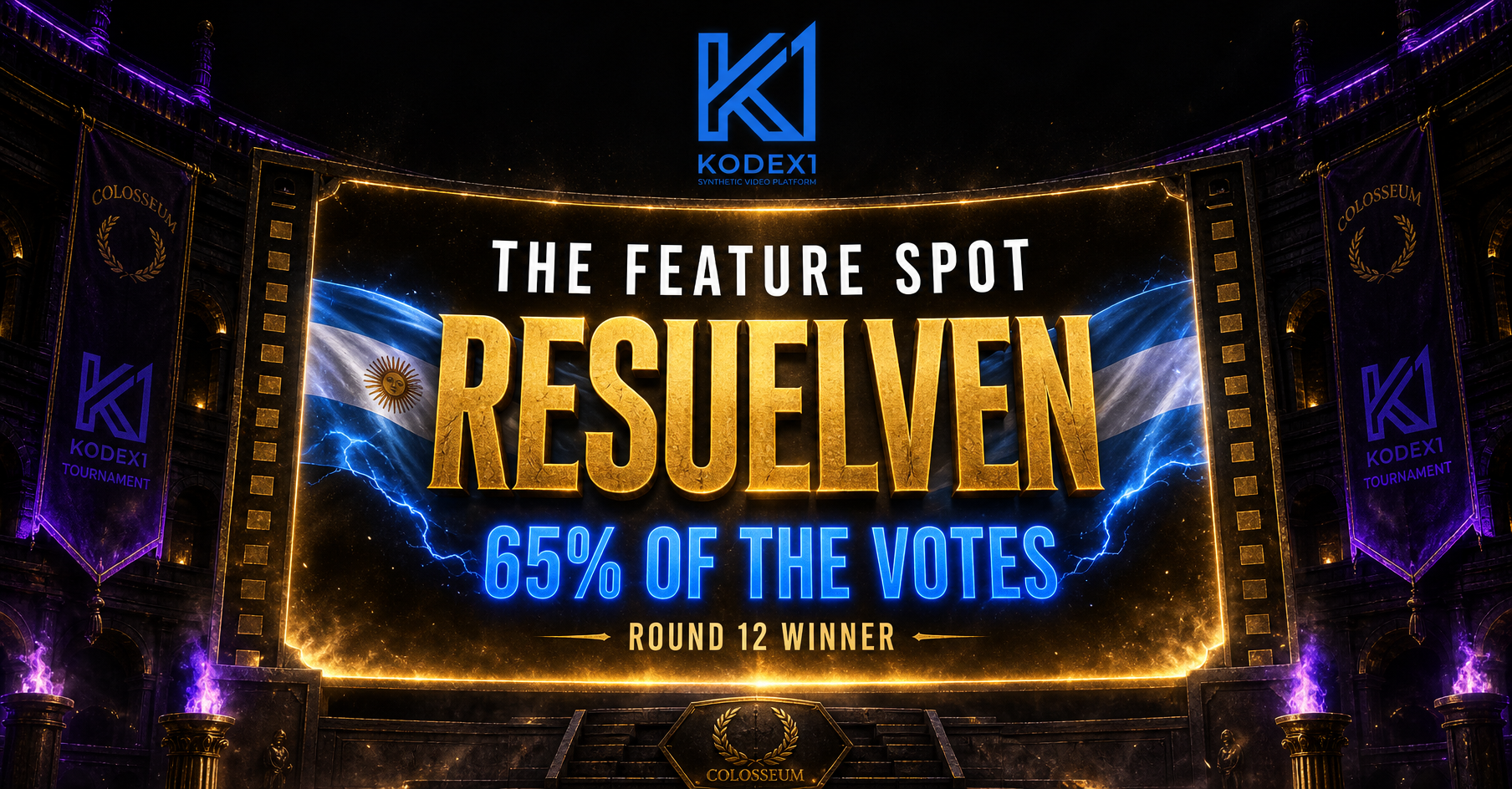
    Round 10 of the Kodex1 Coliseum is closed. The votes are in. And this week, Argentina didn't just show up — it dominated.

    resuelven took 65% of the vote in one of the most decisive Coliseum victories we've seen. The battle prompt was brutal in its simplicity: make a video for The Feature Spot — and it must include the Kodex1 logo. No machines this week. No AI challengers. Pure human vs. human. The arena was all directors, all craft, all on the line.

    resuelven answered the prompt and left the competition behind.

    What Was The Challenge?

    The Feature Spot is the most visible real estate on Kodex1 — the hero screen that greets every visitor who lands on the platform. This round asked directors to make something worthy of that spotlight. The twist: the Kodex1 logo had to be woven into the film itself. Not slapped on. Woven in.

    That's a creative constraint that separates the directors who understand cinematic storytelling from the ones who are just prompting.

    65%. No Machines. No Excuses.

    When the votes closed, resuelven had taken nearly two-thirds of them. In a humans-only battle where every competitor was fighting for the same prize, that margin is a statement.

    This wasn't a close call. It was a masterclass.

    What resuelven Wins

    The cash prize. Full stop.

    But more than that — resuelven's winning video now lives on The Feature Spot for the entire month. Every person who visits Kodex1 sees it first. Every new director who finds the platform lands on it. The work earns its audience the hard way: by being good enough to sit at the top of the most competitive AI filmmaking arena on the internet.

    That's not an algorithm. That's a vote.

    The Coliseum Keeps Moving

    Round 10 is closed. Round 11 is coming.

    If you're an AI director who missed this one — don't sleep on the next prompt. The Coliseum runs on speed, craft, and nerve. The directors who win aren't waiting to feel ready.

    They're already in the arena.

    Watch the winning video. Enter the next round. Build your legacy.

    👉 kodex1.com

  • Kodex1: The Home of AI Videos

    Kodex1: The Home of AI Videos

    Description

    Kodex1 is the home of AI videos — where directors using Kling, Seedance, Veo, Runway, Higgsfield, and OpenArt upload, compete, and build their legacy. Here's what's happening on the platform right now.

    Kodex1: The Home of AI Videos

    AI filmmaking just found its home. And it's busier than ever.

    When we built Kodex1, the idea was simple: give AI directors a permanent place to put their work — somewhere that wouldn't bury it in an algorithm, flag it, or let it disappear after 24 hours. A real platform. Built specifically for this new wave of creators who are using Kling, Seedance, Veo, Runway, Higgsfield, OpenArt, and whatever comes next to make things that genuinely stop people mid-scroll.

    A few months in, the community is building. Directors from across the world are signing up, uploading their work, competing in the Coliseum, and now — racking up points in the new league system. Here's what's actually happening.


    The Tools Showing Up Most on Kodex1

    We don't build the AI models. We build the home for the people who master them. Right now, these are the tools our directors are bringing to the arena.

    Kling

    Kling is everywhere on Kodex1. Kuaishou's video model — now at version 3.0 with 60 million users globally — has become the go-to for directors who want cinematic quality without fighting the tool. The physics hold up. The motion is smooth. The outputs feel directed, not just generated. Kling clips consistently show up in Coliseum entries and Director Studios across the platform. Kling AI

    Seedance

    ByteDance's Seedance 2.0 is making serious noise. Its unified multimodal architecture lets creators feed in images, video, audio, and text simultaneously — the result is a level of creative control most models don't offer. Seedance directors on Kodex1 tend to produce work that's layered and precise. It shows. Seedance 2.0

    Veo

    Google DeepMind's Veo 3.1 brings something different: 4K output, native audio generation, and physics-based realism that's hard to match. For directors building cinematic sequences with real-world environments and lighting, Veo is the weapon of choice. It's also the model that won the very first Kodex1 Coliseum round. Veo 3.1

    Runway

    Runway is the OG of the AI video world and it still delivers. Gen-4 offers frame-accurate camera controls, consistent characters across scenes, and the kind of editorial precision that serious directors need. Creators on Kodex1 who've been in this space the longest tend to have Runway in their toolkit. It's not the flashiest option right now — it's the one that works when the shot has to be right. Runway

    Higgsfield

    Higgsfield is built for creators who want everything in one place. Every top model — Kling, Veo, Seedance — accessible from a single workspace, with viral presets, character consistency tools, and direct plugins for Adobe Premiere Pro and After Effects. Directors who move fast and ship often are using Higgsfield to skip the tab-switching and stay in flow. Higgsfield

    OpenArt

    OpenArt has quietly become one of the most complete AI creative studios available. From image-to-video and Smart Shot storyboarding to lip-sync, video inpainting, and full character creation — it's a deep toolkit trusted by millions of creators worldwide. Directors on Kodex1 using OpenArt tend to bring a distinctive visual consistency to their work, because the platform gives them the kind of fine-grained control that makes a difference frame by frame. OpenArt


    12 Coliseum Rounds. 132+ Videos. The Arena is Real.

    The Coliseum has been running weekly since April and shows no signs of slowing down. The format is simple: a theme drops, directors upload their best interpretation, the community votes, and $100 goes to the winner. No judges. No panels. Just the work.

    Twelve rounds in, the competition is fierce. lucena.ia holds the record — three consecutive wins — and has earned every one of them. The Candy Zoo round, the Supernatural Pirate Battle, the Monsters of the Enchanted World — each one raised the bar.

    Round 12 is live now at kodex1.com/coliseum. Human directors only. No bots. $100 cash + a featured spot on the front page for a month. Two weeks to enter.


    The New League System — Points, Rankings, and Something to Chase

    The Coliseum is weekly. The league is the long game.

    We built the Kodex1 League system because the best creators deserve more than one shot at recognition per week. The league runs monthly. Directors accumulate points across every video they upload, every vote they receive, every Coliseum battle they enter. At the end of the month, the leaderboard settles and the top directors take the prize.

    It adds a layer of strategy the Coliseum alone doesn't have. Do you go all-in on one cinematic piece, or build a consistent body of work across categories? Do you chase votes or chase volume? The directors who figure out that answer first are the ones climbing fastest.

    The league is live. Points are counting. Check your studio page to see where you stand.


    Why Kodex1 Exists

    YouTube is making life difficult for AI content creators. Demonetisation, content flags, algorithm suppression — the platforms built before AI video existed don't know what to do with it. So they do what platforms always do when something new disrupts their model: they make it harder.

    Kodex1 doesn't have that problem. We built this specifically for AI-generated video. There's no algorithm that doesn't understand what a Kling cinematic is. No flag system that mistakes a Veo sequence for a policy violation. No feed that buries your best work under yesterday's trending audio.

    This is the permanent home for AI filmmaking. A Director Studio that doesn't go anywhere. A competitive arena that rewards skill. A community that knows exactly what it's watching.


    Join the Arena

    If you're already making AI videos — with Kling, Seedance, Veo, Runway, Higgsfield, OpenArt, or anything else — Kodex1 is where that work belongs.

    Upload three videos, unlock your Director Studio, and start competing. The league is live. The Coliseum is running. The community is watching.

    Start here → kodex1.com